 Drillmarine
 Support
Dig. Explore. Get back before the air runs out.
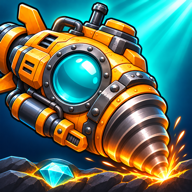
Drillmarine is a digging adventure for iPhone and iPad. You pilot a small drill submarine down through the seabed, mine ore and relics, bring them back to the dock before the oxygen runs out, and upgrade the sub to reach deeper zones.
Contact
Questions, problems or ideas? Write to bayrambas255@icloud.com. We answer in English or Turkish, usually within a few days.
It helps if you tell us:
- your device and its iOS version,
- the game version (shown at the bottom of the game's Settings),
- what happened and what you expected,
- for a purchase: the date and the order ID from Apple's receipt email.
Please never send passwords or card details. We do not need them.
Frequently asked questions
Is the game free?
Yes. The whole campaign is free to play. Pearl packs and the Captain's Starter Pack are optional purchases.
Are there ads?
No. The game has no ads and no tracking.
Do I need an account or an internet connection?
No. The game has no account and plays offline. A connection is needed only when you buy something.
What are pearls for?
Pearls buy dive supplies (O2 Tanks, Repair Kits, Charges, Cargo Insurance), a continue after a failed dive and credit top-ups. You earn them by playing: captain levels, daily rewards, quests, contracts and depth records. You can also buy them in the Shop.
I bought something and did not receive it.
Purchases are handled by Apple. Open the game again while you are online: a purchase that was not finished is delivered the next time the game starts. A purchase that is waiting for approval (Ask to Buy) arrives once it is approved. If it still does not arrive, write to us with the date and the order ID.
Can I get a refund?
Refunds are decided by Apple. You can ask for one at reportaproblem.apple.com.
Can I move my progress to a new device?
Your campaigns, pearls and supplies are stored on your device and are part of your device backup (iCloud or computer). Restoring that backup on the new device brings them back. The game has no cloud sync of its own.
I deleted the game. Can I get my pearls back?
Only by restoring a device backup made before you deleted it. Deleting the game deletes its progress and any unused pearls and supplies, and we have no copy of them.
How do I start over or delete a campaign?
Go to Dock → Settings → Campaigns. Choose the slot and tap Delete campaign. That slot's world and progress are deleted. Your pearls and supplies are kept. The game has three campaign slots.
The game is too hard.
Open Settings while you are at the dock and turn on Comfort mode: 50% more oxygen and less damage from hazards. You can turn it off again at any time at the dock.
Can I change the controls?
Yes. In Settings you can choose between three controls (Floating + step, Floating, Fixed pad), move the controls to the left or right side, and make the control pad larger.
How do I turn the daily reminder off?
In the game's Settings, turn off Daily reward reminder. You can also open the iOS Settings app, then Notifications, then Drillmarine.
Which languages does the game have?
English, Japanese, Korean, Spanish (Latin America), Portuguese (Brazil), Traditional Chinese, Turkish, French (Canada) and Arabic. The game follows your device language; you can pick another one in Settings.
Which devices are supported?
iPhone and iPad with iOS 17 or iPadOS 17 or later.